
Skip to content

Cookie settings

Choose which kinds of cookies you allow. You can change your choice at any time via Cookie settings at the bottom of every page. Privacy statement

Necessary

Always on

Needed to log in, keep your cart and remember your choices. These are always on.

Which cookies?
  • weboke_sessie, weboke_klant, weboke_remember: your session and staying logged in
  • weboke_basket: your cart
  • wkBtwIncl: showing prices with or without VAT
  • wok_cookies: your cookie choice, 12 months

Measures which ad leads to a visit or order, so we do not pay for ads that do nothing.

Which cookies?
  • Google Ads via Google Tag Manager (_gcl_au, _gcl_aw), up to 90 days
  • OpenAI Ads, ads in ChatGPT
  • wok_aff: which partner referred you to us (affiliate programme), 60 days

4.6

Country and language

Each country has its own site, with prices and VAT for that country.

View

Creating groups

Do you often email the same group of people, such as your team or your club's committee? Then create a group. When you write a message, you can select the whole group in one go.

Creating a group
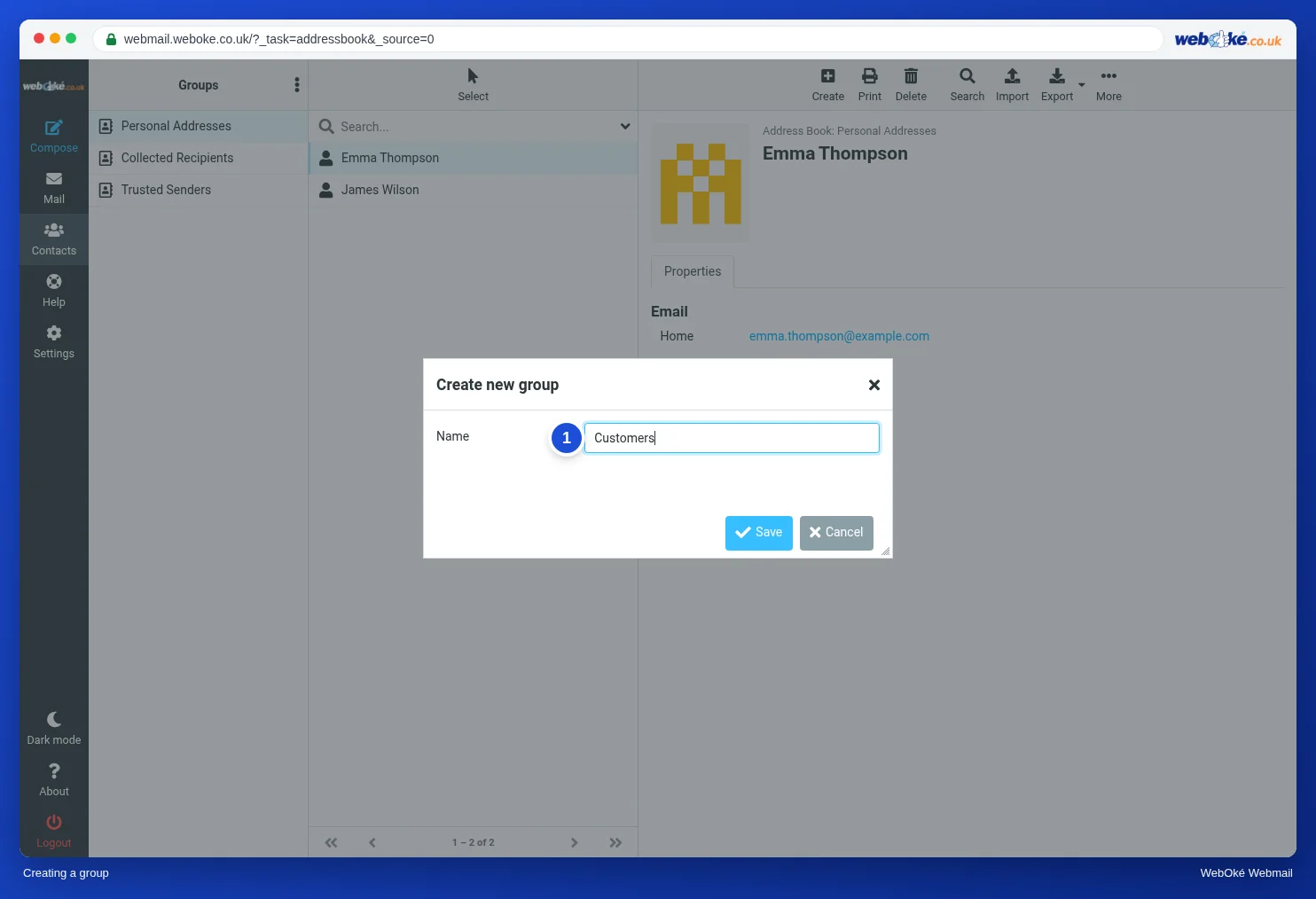
The Create new group window with the Name field
(1) the name of the group
  1. Go to Contacts.
  2. Click the three dots next to Groups and choose Add group.
  3. Type a Name (1) and click Save.

Adding people to a group
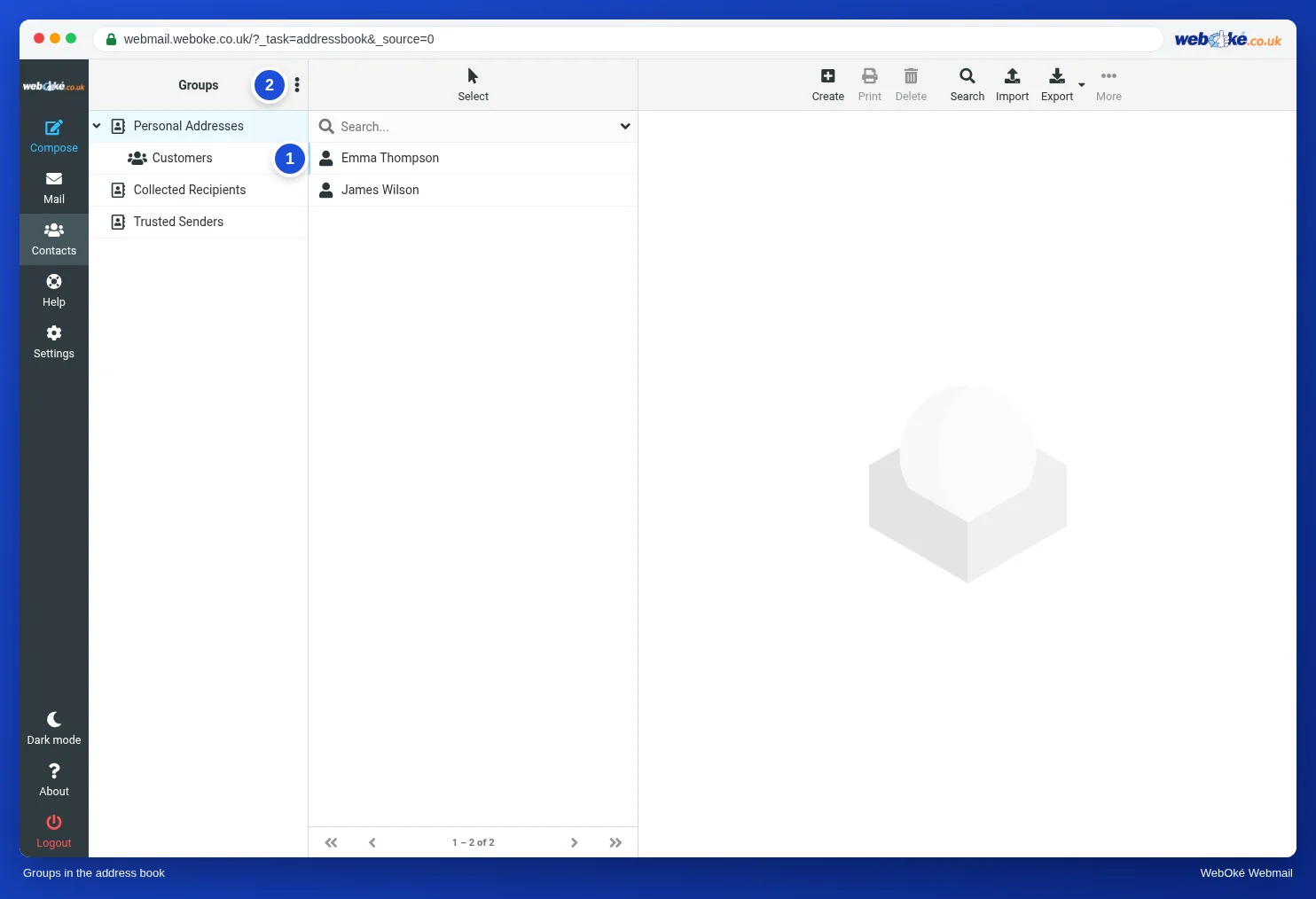
The address book with the group Customers under Personal Addresses
(1) the group, (2) the three dots with the group actions

Drag a contact from the list to the group (1). You can also select several contacts and drag them all at once. On a contact's Groups tab, you can see which groups they belong to.

You can also rename or delete a group using the three dots (2). If you delete a group, the contacts themselves are kept.

Emailing a group

When writing a message, start typing the name of the group in the Recipient field, or select the group with the small button with the people icon next to the Recipient field.

Please note: for a large group, put the addresses in Bcc so that recipients can't see each other's addresses. And keep the daily sending limit in mind, see The daily limit has been reached.

One moment…

Set up your domains

For each domain, arrange the nameservers, the link to your hosting and who becomes the owner.

Loading your domains…