
Chapter 5 · 5.2
Opening DNS Administration and reading the records
Watch it in a short video
In DirectAdmin, you'll find your domain's DNS under DNS Administration.
Opening DNS Administration
- Log in to DirectAdmin (see Signing in via My WebOké).
- In the menu, under Account Manager, click DNS Administration.
- Do you have more than one domain? Then select the correct domain in the domain selector (4) at the top right.
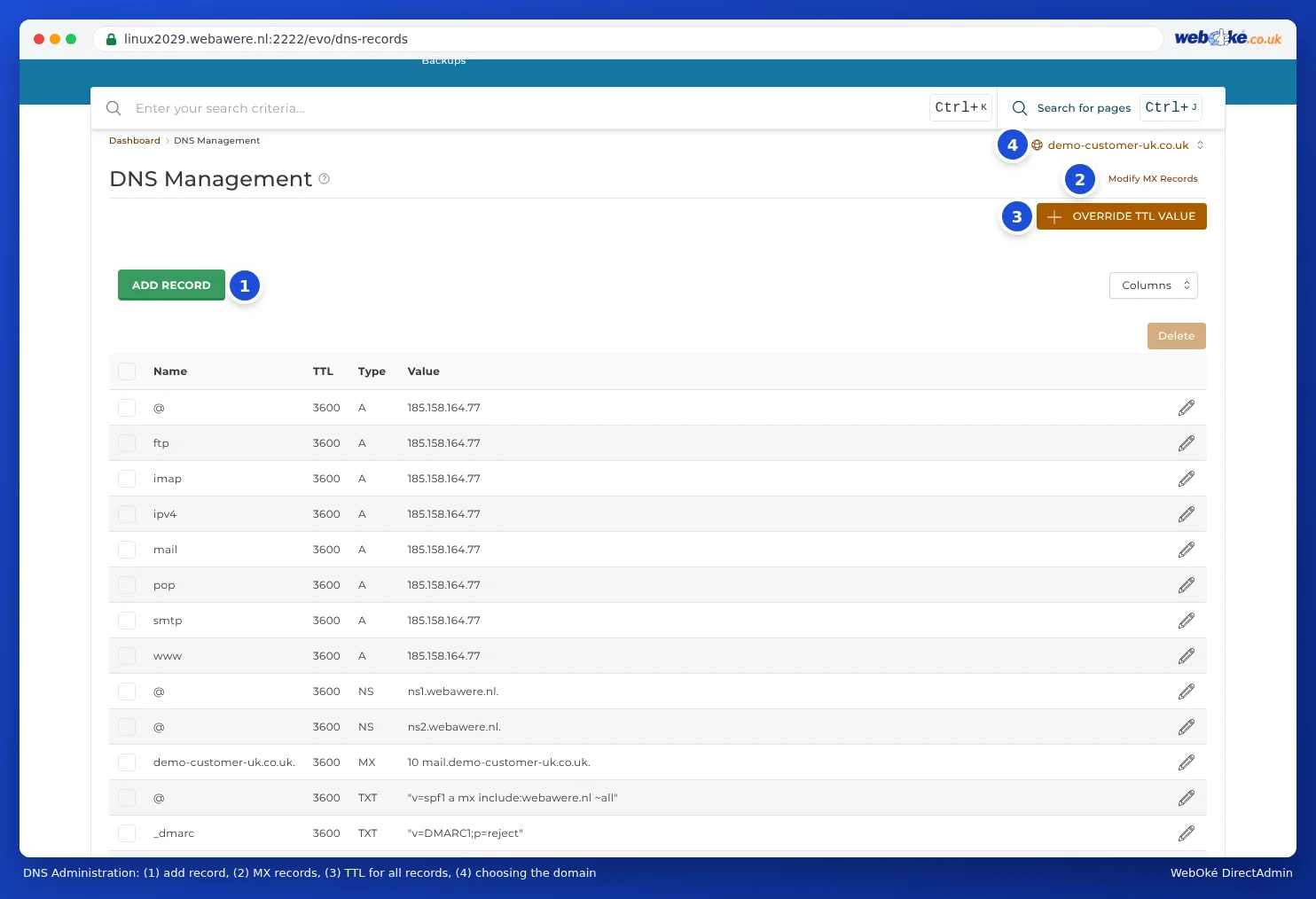
You'll see a table with all the records for the domain. At the top are the ADD RECORD (1) and OVERRIDE TTL VALUE (3) buttons. At (2), you'll find the MX records. You can edit these in the list, just like the other records. On some servers, there's also a Modify MX Records button at the top. Use the pencil icon next to a record to change it. Tick records and use Delete to remove them.
The columns
- Name: which name the record applies to. An @ or your domain name followed by a dot (yourdomain.com.) means: the domain itself. www means www.yourdomain.com. An asterisk * means: all names not otherwise listed.
- TTL: how long other computers may remember the record, in seconds. 3600 is one hour (see When does a change take effect? Waiting time and TTL).
- Type: the type of record, such as A, MX or TXT (see What is DNS and when do you change it?).
- Value: where the record points to, or the text of the record.
The default records at WebOké
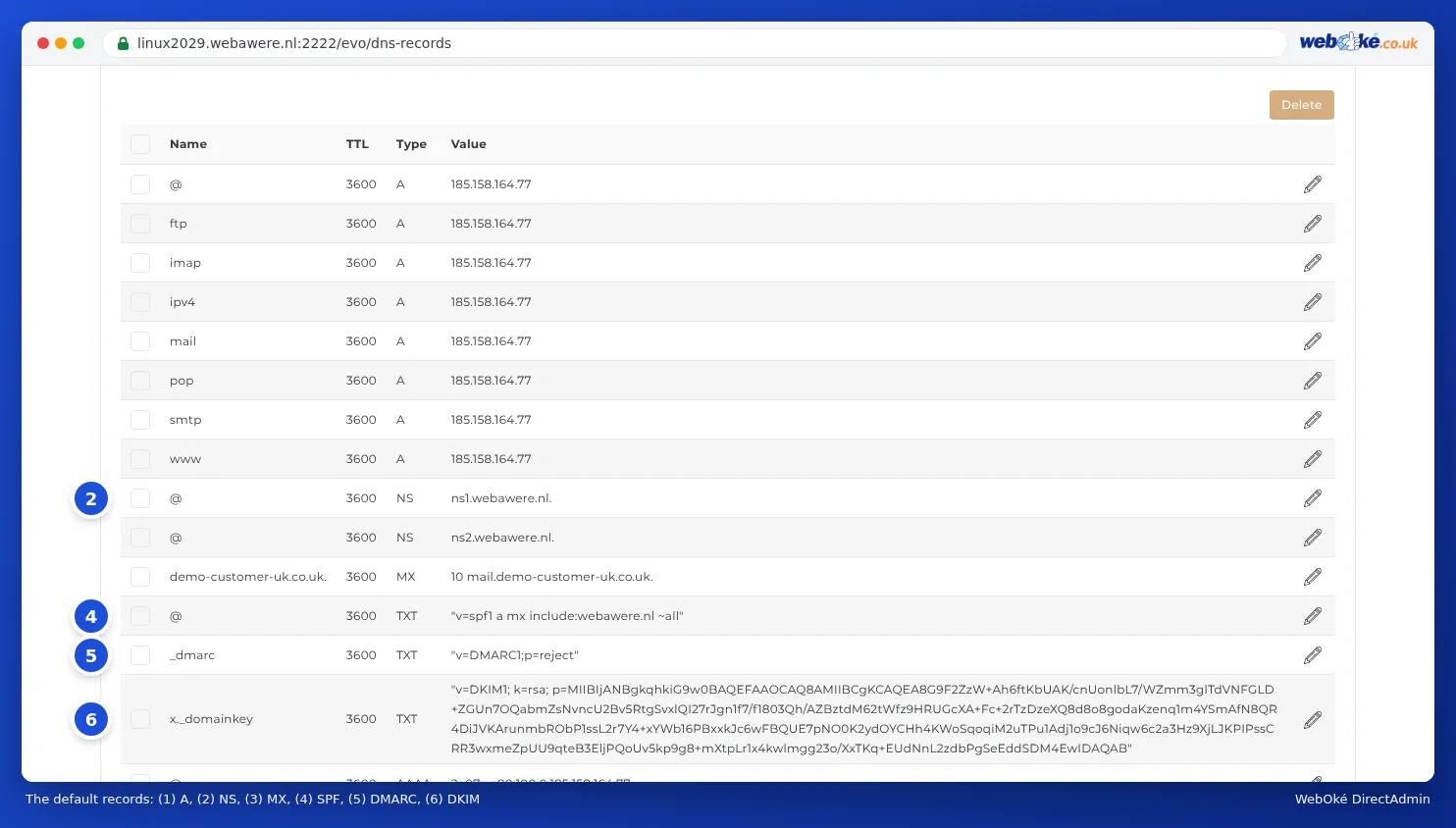
With a new hosting package, DirectAdmin sets up these records:
| Record | What does it do? |
|---|---|
| A and AAAA for @ and * | Your domain and all subdomains (including www and mail) point to your package's server, via IPv4 and IPv6. |
| NS | The nameservers ns1.webawere.nl and ns2.webawere.nl. |
| MX | Your email is delivered to your package's server. |
| TXT with v=spf1 | The SPF record: which servers are allowed to send mail on behalf of your domain (see Setting up and adding to SPF). |
| TXT for _dmarc | The DMARC record: what recipients should do with mail that fails the check (see Setting up DMARC). |
| TXT for x._domainkey | The DKIM key: the digital signature under your mail (see Turning on and checking DKIM). |
Tip: There's no separate record for www. That's intentional: the record with the asterisk (*) makes sure www.yourdomain.com also points to your website.
The SOA record (the technical header of the DNS) isn't shown in the list. DirectAdmin manages that itself.