
Chapter 2 · 2.5
Macros from Word and Excel (VBA): what still works?
A macro is a small program inside a document, such as a button that creates an invoice or sorts a list. In Word and Excel, macros are written in VBA. You can recognise these files by the extension docm, xlsm or pptm, or they are old doc and xls files.
The honest answer
| LibreOffice | Euro-Office | |
|---|---|---|
| Opening the file and using the data | Yes | Yes |
| Running VBA macros | Some of them, mainly from Excel, if you switch this on | No |
| Your own macros | In LibreOffice Basic and Python | In JavaScript |
In LibreOffice
Why does nothing happen? For security reasons, LibreOffice disables macros by default. You will then see a message such as Macros are disabled due to the current macro security settings.
- Choose Tools > Options... > Load/Save > VBA Properties. Under Microsoft Excel (and Word, if needed), tick Load Basic code, Executable code and Save original Basic code.
- Choose Tools > Options... > LibreOffice > Security and click Macro Security.... Choose Medium: LibreOffice will then ask what you want to do with every file that contains macros.
- Close the file and open it again. Choose Enable Macros, but only if you trust the file.
LibreOffice can run a lot of VBA code, but not all of it. If a button doesn't work, the macro has to be adapted in the Basic editor (Tools > Macros > Edit Macros...). This requires programming knowledge.
If you save the file as xlsm again, the original VBA code is kept thanks to Save original Basic code. If you save it as ods, the VBA code is lost.
In Euro-Office
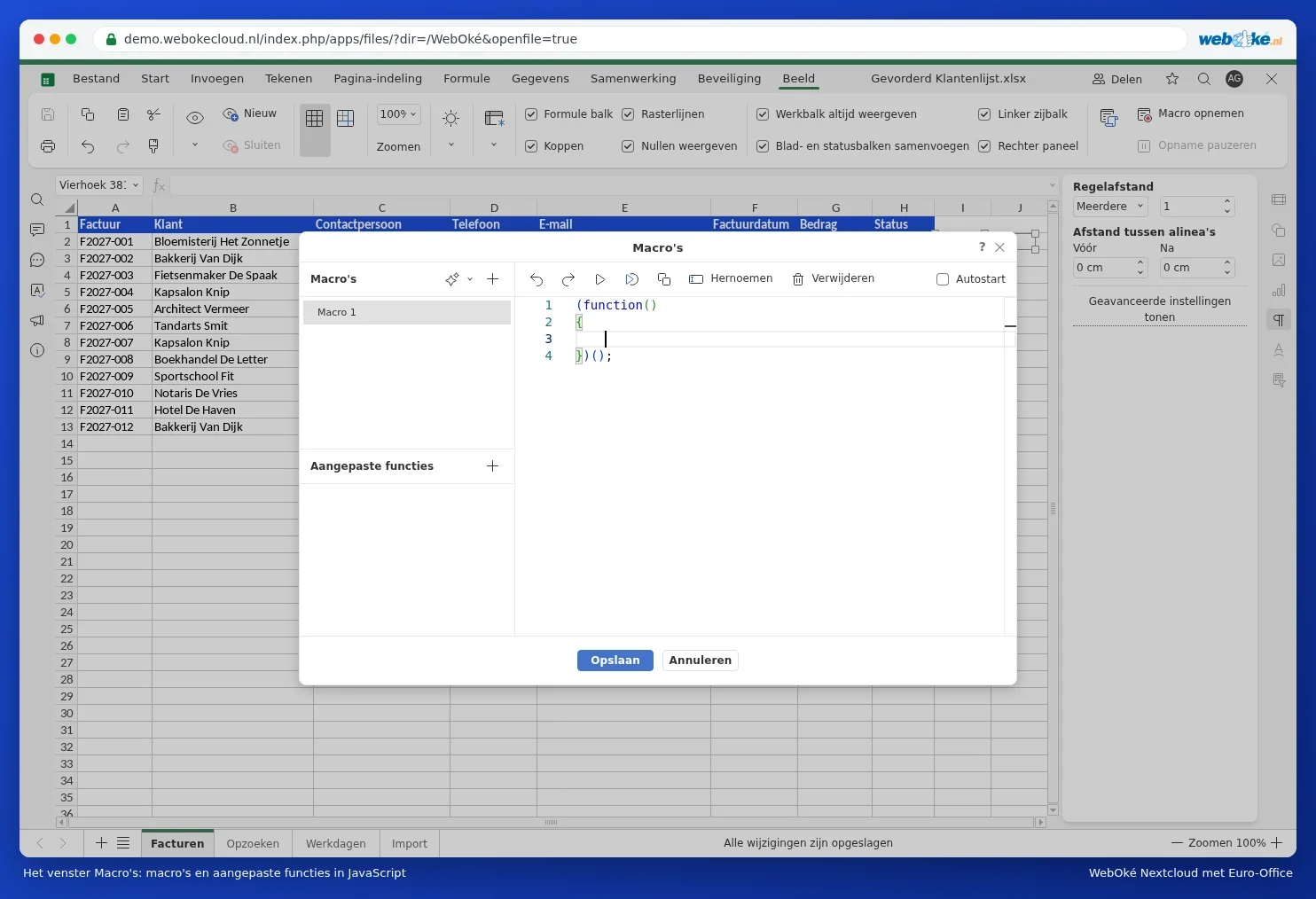
Euro-Office does not run VBA. The file opens normally and you can see all the data and formulas, but the buttons do nothing. On the View tab, under Macros, you can create a macro in JavaScript or record one. Read more in An Excel file with VBA macros: what now?.
Do you still need the macro?
Many old macros sort, filter, colour or look something up. You can often do that without a macro:
- colouring: conditional formatting (Conditional formatting: colour cells automatically);
- looking up: VLOOKUP or XLOOKUP (Vertical lookup with VLOOKUP and XLOOKUP);
- summarising: a pivot table (Creating a pivot table);
- letters from a list: mail merge (Creating letters from an address list (mail merge)).
You can read more about your options in Macros, templates and compatibility testing.
Please note: macros in files from other people can be harmful. Never set macro security to Low, and only enable macros for files you trust. Always keep the original of a file that contains macros.