
Chapter 1 · 1.2
Order your package and transfer your domain later
You start by ordering your package from WebOké. As part of the order, you choose what happens to your domain name. Is your website still running at your old provider? Then choose to transfer later. Your package is set up straight away, but your domain stays with your old provider for now. Your website and email keep working there as usual.
Ordering with a domain you transfer later
- Choose a hosting package on the website and click order. The order pop-up opens.
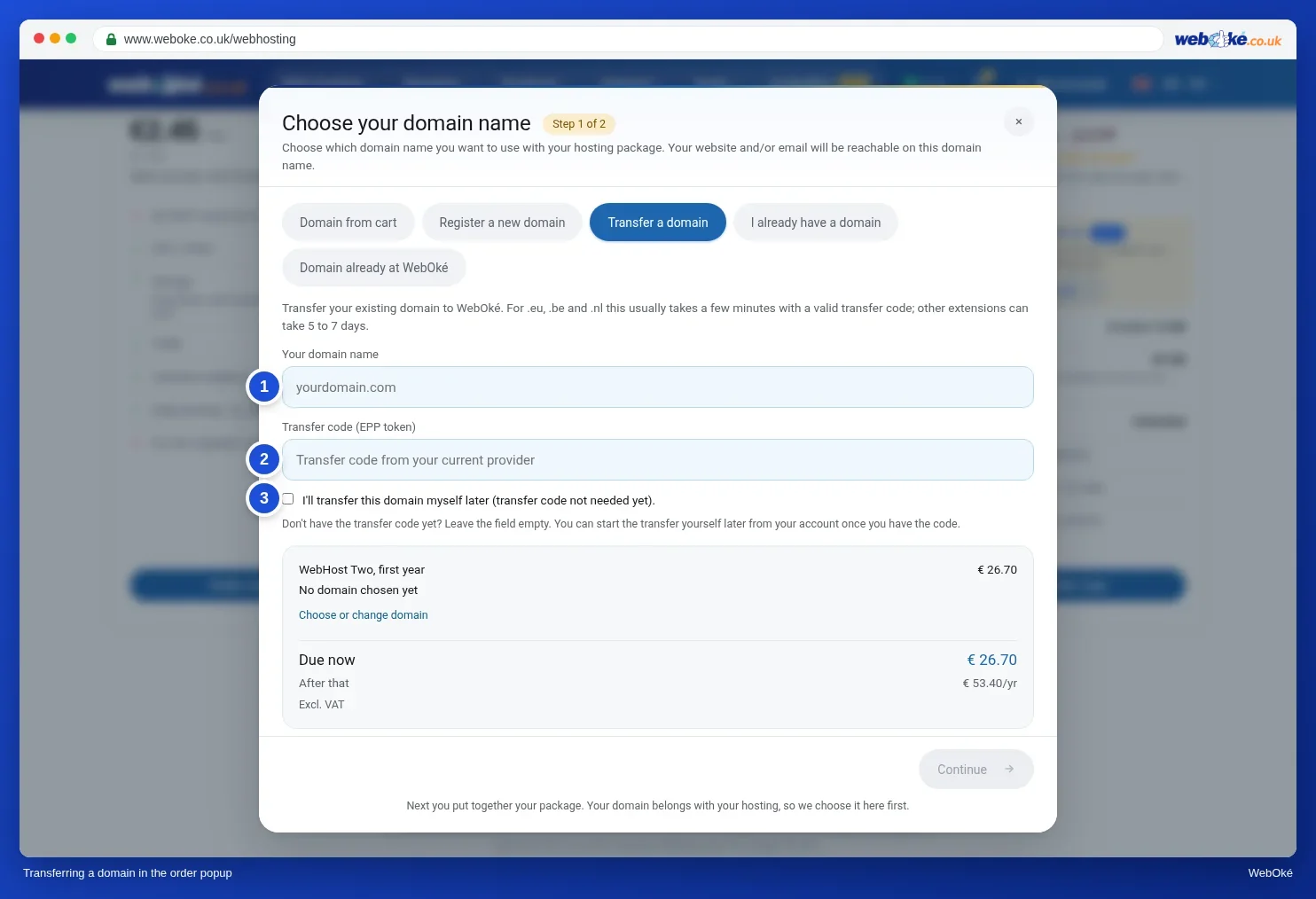
- In step 1, choose Transfer a domain.
- Enter your domain under Your domain name (1).
- Do you already have the transfer code and is your website ready? Then enter it under Transfer code (EPP token) (2). Otherwise, leave the field empty and tick I'll transfer this domain myself later (transfer code not needed yet). (3).
- Click Continue and complete your order.
Would you like us to move your website for you? Then tick Yes, move my website to WebOké when you order. See Free migration service: how we move your website to WebOké.
Is your domain staying with your old provider?
Do you want to keep your domain name where it is, but host your website and email at WebOké? Then choose I already have a domain in step 1. You then change the nameservers yourself at your old provider, see Only switching the nameservers or DNS.
Already have a package at WebOké?
Then you only order the domain transfer. In My WebOké, go to My Domains and click + Register or transfer at the top right. You can read how to continue in Transferring your domain via My WebOké.
After your order
- You receive a welcome email with the details of your package. It includes your login for DirectAdmin and FTP, the server name of your package (something like linux2023.webawere.nl) and the IP address. Keep this email: you need the server name and IP address for as long as your domain doesn't point to WebOké yet.
- Your package automatically gets the standard DNS records for your website and email. These only work once your domain points to WebOké.
- Did you choose to transfer later? Then we send you a reminder every 14 days with a button to the Transfer Centre, for as long as the transfer code is still missing. That way you won't forget the final step.
Tip: want to transfer lots of domains at once? Paste them all in one go, see Registering or transferring many domains at once.
More about ordering with a domain transfer, with all the screens: Transferring a domain to WebOké (transfer code or transfer later).