
Free migration service: this is how we move your website to WebOké
Is your website still hosted somewhere else and you'd rather not move it yourself? Then we'll do it for you with our migration service. Your website stays online at your old host until everything is ready and tested with us.
What does it cost?
- Webhost Two and larger: free for one website.
- Webhost One: a one-off fee of € 50 (excl. VAT).
- Extra websites: if there are more websites on your old package, we'll move one of your choice. Each extra website costs a one-off € 25 (excl. VAT), and only after you approve.
If we run into problems and your website can't be moved, you pay nothing (no cure, no pay).
What do we move and what don't we move?
- Included: all your website files, the database, redirects and any DNS records that need to stay. You automatically get a new SSL certificate with us. We move WordPress, WooCommerce, Joomla, Drupal, static HTML and custom-built PHP sites.
- Not included: mailboxes. For privacy reasons, we don't move email. You can do that yourself with our free email migration tool: you create the mailboxes with us and the tool transfers all your email, including folders.
- Arrange it yourself: cancelling with your old host and integrations with payment services, such as webhooks from Mollie, Stripe or PayPal.
We can't always fully move sites from closed platforms like Wix or Squarespace. We're happy to help you find the best solution.
How to request the migration service
- Order a hosting package and tick Yes, move my website to WebOké in the order popup.
- Is your domain still with your old provider? Then choose Transfer domain for the domain, followed by Transfer later. This keeps your site online at your old host until we're done.
- Complete your order. You'll immediately receive an email listing the details we need.
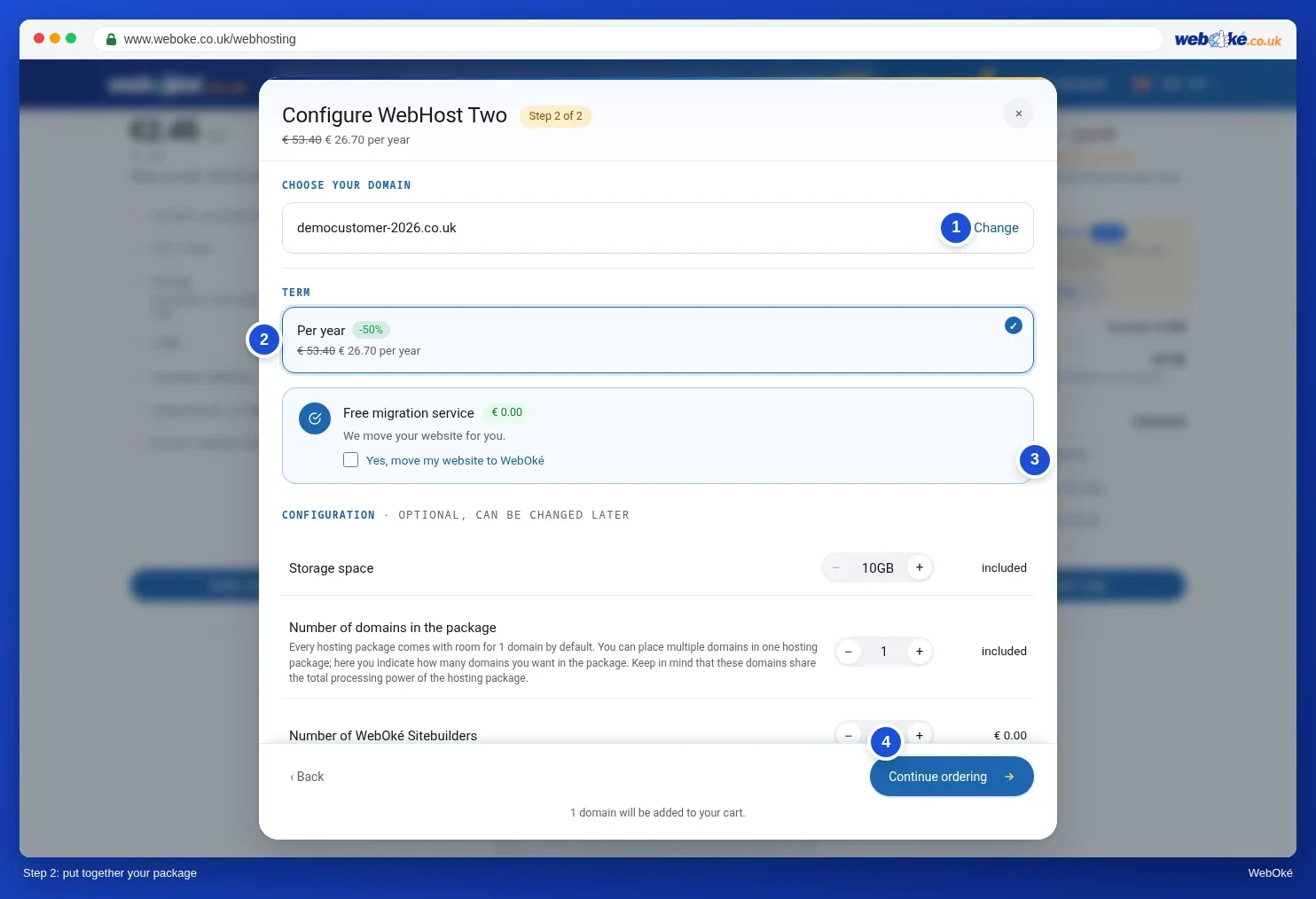
Already have a package and forgot to tick the box? Ask the AI assistant in My WebOké, for example: "Turn on the migration service for my package". You'll see the cost upfront and nothing happens until you approve. You can also open a ticket.
What details do we need?
- The address of your old host's control panel, for example DirectAdmin, cPanel or Plesk. If you don't have a control panel, FTP or SFTP works too.
- The username and password for it.
- What kind of website it is, for example WordPress or Joomla, and which domain name it runs on.
- The transfer code for your domain, if the domain isn't with WebOké yet. You can also transfer the domain yourself later.
- Anything else that's useful, such as a time that suits you best for the switch.
You can reply to the email, or pass on the details securely via the AI assistant in My WebOké. They'll then be added straight to your ticket.
How long does it take?
Once we have all the details, we'll let you know when we'll carry out the migration. How long it takes depends on the size of your site, the testing and how quickly we receive your details. We'll keep you posted. We move your website, update internal links where needed and test that everything works.
After that, we transfer the domain using your transfer code, or you point the DNS to our server. If you chose Transfer later, you start the domain transfer yourself in My WebOké, under My Domains › Transfer Center. It can then take a few hours before everyone sees your site with us. Only cancel your old hosting once everything works with us.
Want to know how to move everything in the right order, without your site or email going down? Read Moving your domain, website and email together without downtime: the step-by-step plan You can preview your site with us beforehand using Viewing your website at WebOké before you transfer your domain name.
More information and how to cancel with your current host: Website migration service. Ordering with screenshots: Choosing a hosting package in the WebOké manual.